You can access data in the 12d Synergy Web App by using a 12d Synergy link. A 12d Synergy link is a link to an instance or an entity, copied from the 12d Synergy Client application. It is displayed in the Location box on the home screen of the 12d Synergy Client application as shown below. These links can be synergy12d:// links or HTTP links, based on the 12d Synergy Admin > System Settings tab > Use HTTP based links instead of synergy12d links setting. 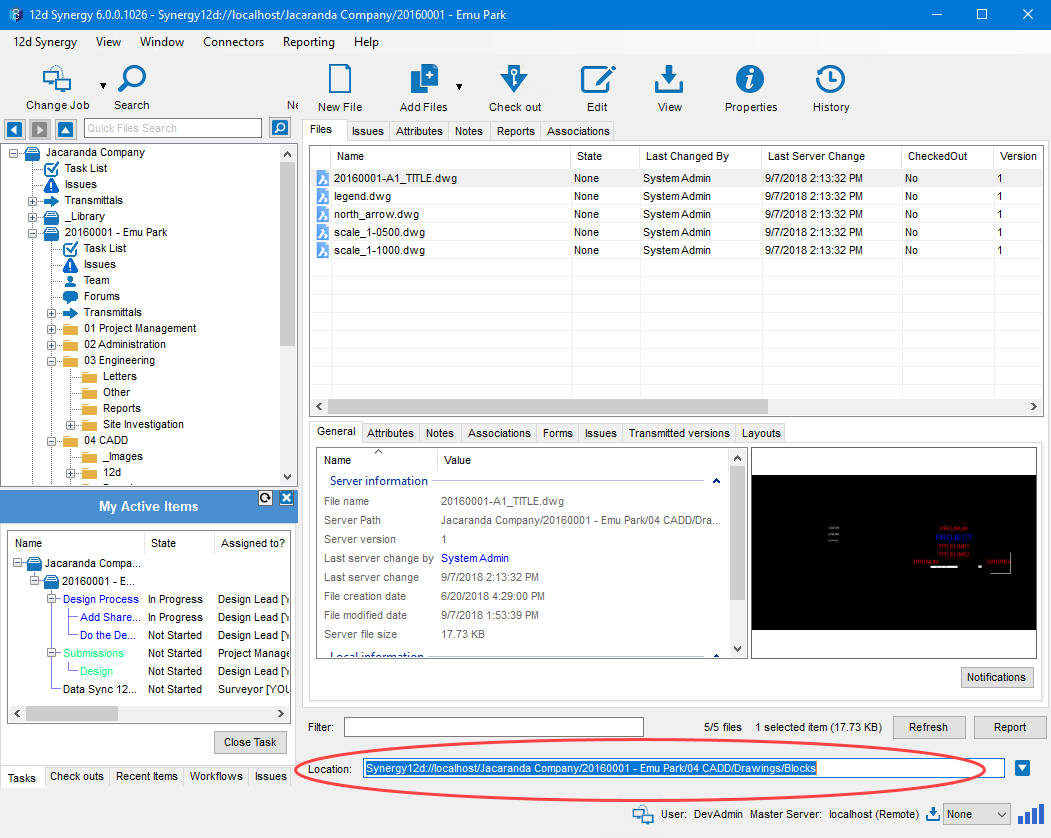
1.1. How to Access a 12d Synergy Link
Do one of the following:
On the homepage, click the Open 12d Synergy link
 button.
Click the
 bottom-right menu and select the Open 12d Synergy link option.
The Open 12d Synergy link dialog box is displayed.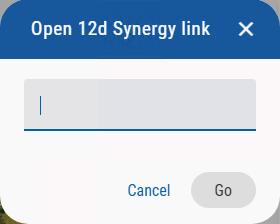
Enter the 12d Synergy link (which is either in synergy12d:// or HTTP link format) in the space provided.
The Go button is enabled.Click the Go button.
The entity corresponding to the 12d Synergy link is now open in the 12d Synergy Web App.